Short version
Live is where you run breaks, Programming decides what plays, Proof shows what aired, and Workspace holds settings and help.
The sidebar groups the pages by what you're doing. Operators don't get the sidebar: they see the control room and the OBS dock only.
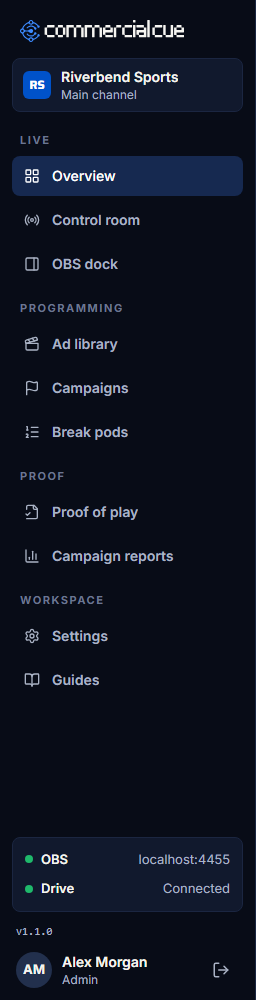
Live
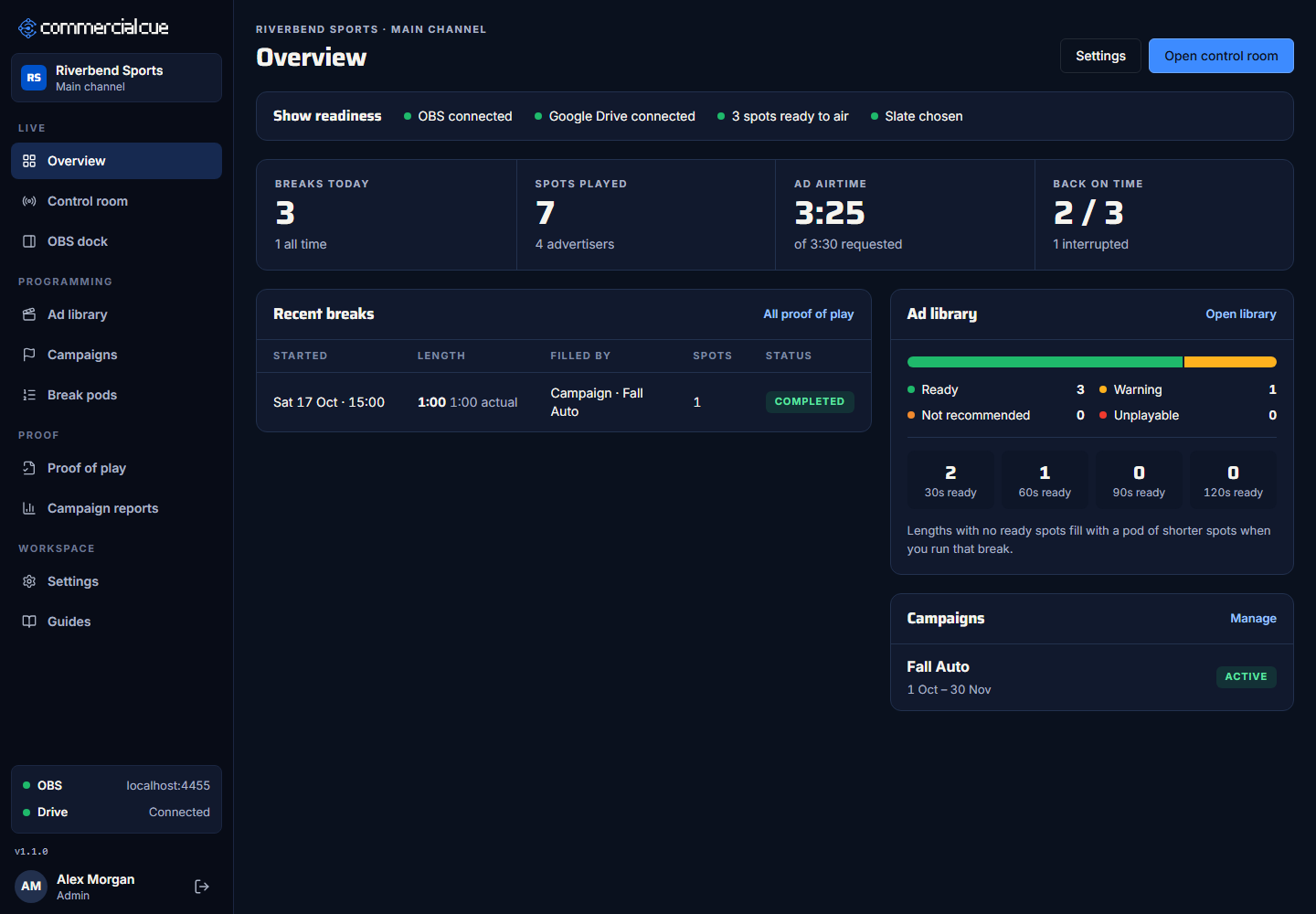
- Overview: is everything ready for the show, and how is today going? It checks OBS, Google Drive, ready spots and the slate, then shows today's breaks, spots played, ad airtime and how many breaks came back on time.
- Control room: run breaks. Press a length, play a break pod, return to live early or play the slate.
- OBS dock: the same break controls, sized for a panel inside OBS. See Add the Commercial Cue dock to OBS.
Programming
- Ad library: every spot read from your Drive folders, with its length, advertiser, readiness and plays.
- Campaigns: a sponsor's spots, with dates and weights. While a campaign is running, its spots fill breaks first.
- Break pods: fixed running orders you play on demand, like a halftime break.
Proof
- Proof of play: every break, with its spots, who ran it and whether it finished. Export it to CSV.
- Campaign reports: plays and airtime for a campaign, and a link you can share with the sponsor.
Workspace
- Settings has four tabs:
- OBS connects OBS.
- Slate sets the video that fills gaps.
- Google Drive maps your folders.
- Team names your workspace and invites operators.
- Guides: these guides.
- Help and FAQ: quick answers to common questions.
The bottom of the sidebar
- Live status: whether OBS and Google Drive are connected, and the countdown while a break is on air.
- Version: the version of Commercial Cue you're using, for example v1.0.1. Hover over it to see the exact build. Mention it when you report a problem.
- Your name, with the sign-out icon.