Short version
In OBS, open Tools → WebSocket Server Settings and tick Enable WebSocket server. In Commercial Cue, open Settings → OBS, keep host localhost and port 4455, and press Connect to OBS. If Chrome asks, choose Allow.
Commercial Cue controls OBS through OBS WebSocket, which is built into OBS 28 and newer. Your browser connects to it, so the browser must run on the same computer as OBS.
1. Turn on WebSocket in OBS
- In OBS, open Tools → WebSocket Server Settings.
- Tick Enable WebSocket server.
- Leave Server Port at 4455.
- Set a Server Password if you like. It's optional, but a good idea.
- Click Apply, then OK.
2. Connect from Commercial Cue
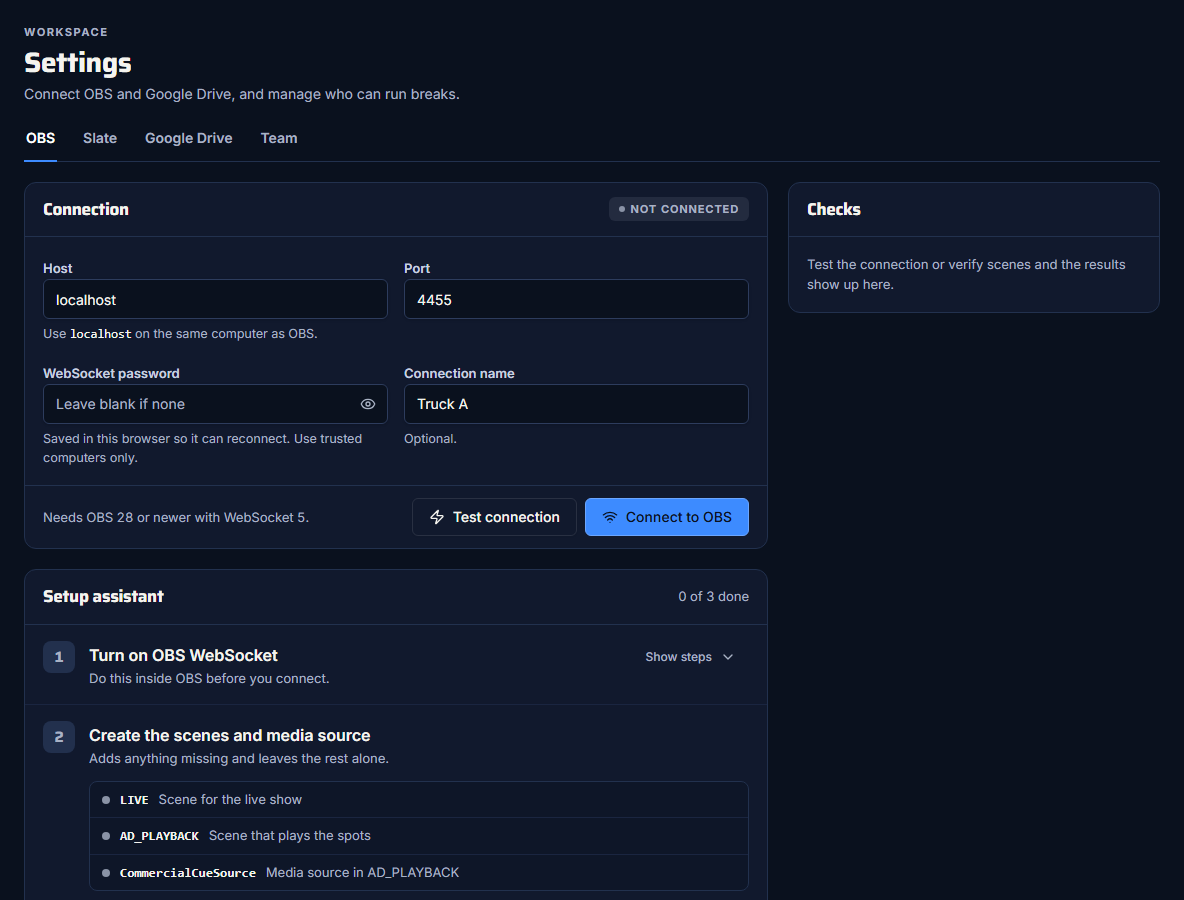
- On the computer running OBS, open Settings → OBS in Commercial Cue.
- Fill in the connection:
- Host:
localhost - Port:
4455 - WebSocket password: the one you set in OBS, or leave it blank
- Connection name: optional, for example "Truck A"
- Host:
- Press Connect to OBS.
When it works, the panel says Connected and shows the obs-websocket version, for example "obs-websocket 5.5.4".
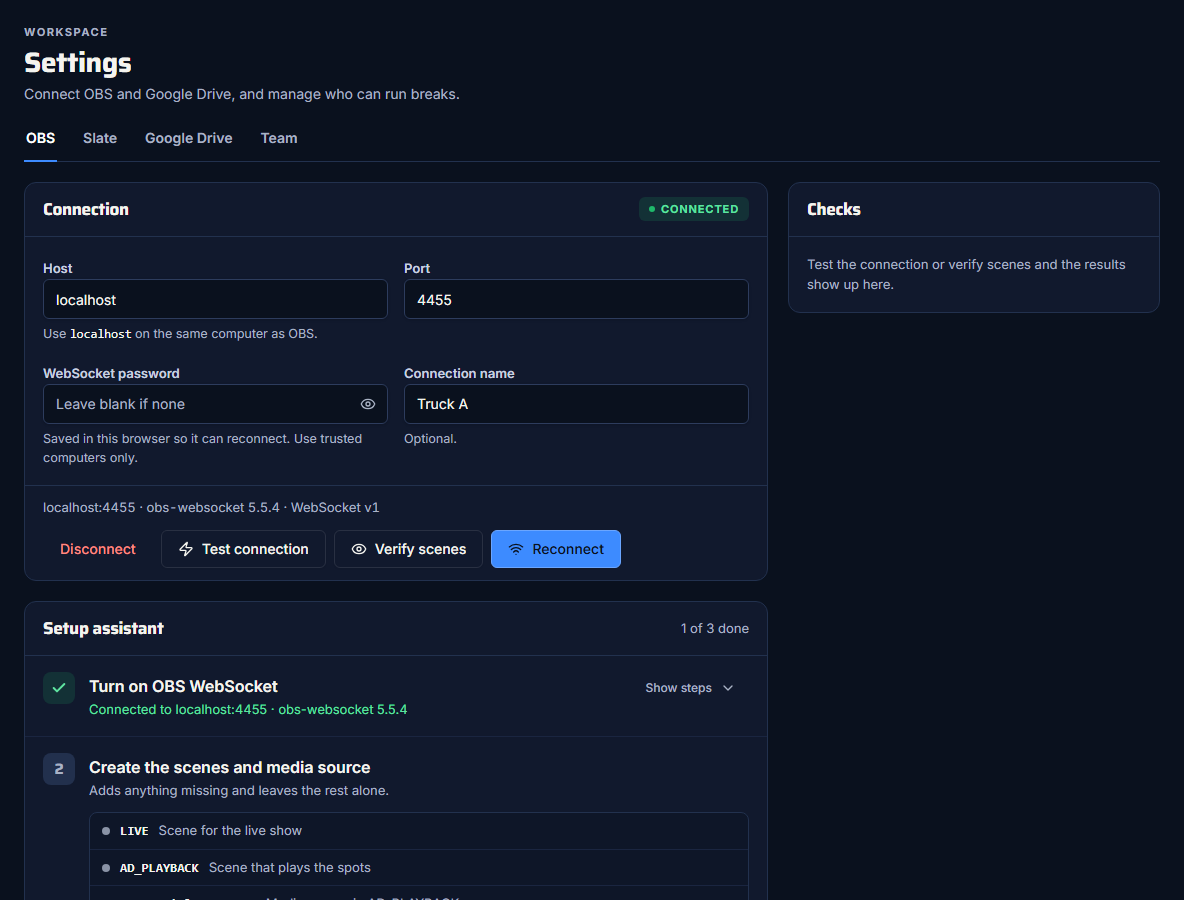
Connect to OBS saves the details in this browser and on the server, so the control room and dock can connect on their own. The password stored on the server is encrypted. Test connection checks the details without saving them.
Chrome's local network access
Recent versions of Chrome ask before a website can reach devices on your computer or network. When you connect, Chrome may ask to let commercialcue.com access devices on your local network. Choose Allow.
If you blocked it by mistake:
- Click the icon to the left of the address bar.
- Choose Site settings.
- Set Local network access to Allow.
- Reload the page and connect again.
Use localhost
Commercial Cue is a secure (https) site, so the browser only lets it reach OBS at localhost, the computer you're on. An IP address like 192.168.0.150 can't work, even for a computer on your network. The app warns you as soon as you type one.
Run the browser on the OBS computer
If OBS runs on another computer, open Commercial Cue in a browser on that computer, or use the OBS dock, which runs inside OBS itself.
If OBS closes
Commercial Cue doesn't reconnect on its own. If OBS closes or restarts, the app says "Connection closed by OBS". Reconnect from Settings → OBS, or reload the control room.
Disconnect clears the saved details from this browser and the server.
Next step
Create the scenes and media source