Short version
In Settings → Google Drive, press Browse next to each length and pick its folder. Press Save folders, then Rescan Drive. Rescan again whenever your files change.
One folder for each length
Commercial Cue sorts spots by the folder they're in. A file in your 30s folder is a 30-second spot, and so on. There are four lengths: 30s, 60s, 90s and 120s.
A simple layout in My Drive:
- Commercial Cue
- 30
- 60
- 90
- 120
You don't need all four. A length with no folder simply has no spots of its own; Commercial Cue can still fill it with shorter spots. See Prepare your spot files.
Map the folders
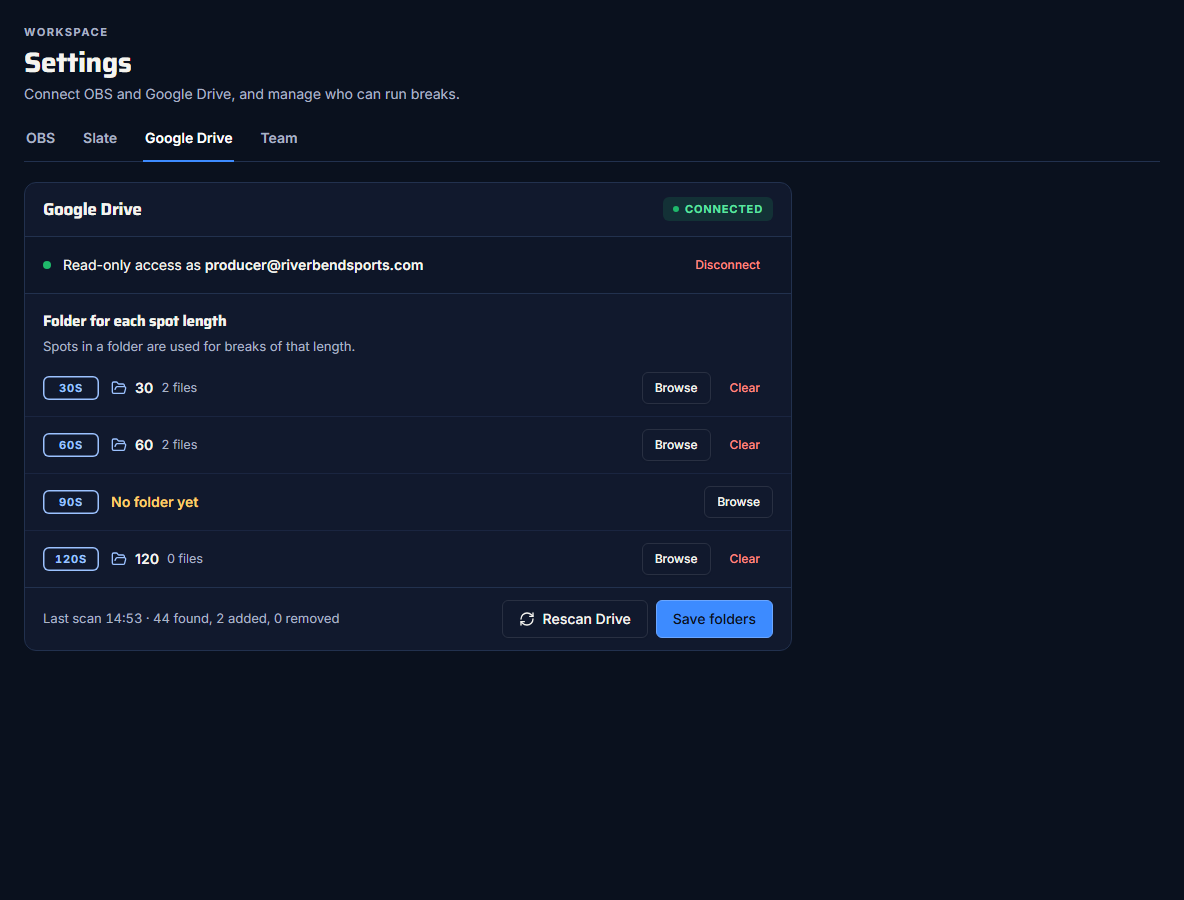
- Open Settings → Google Drive.
- Next to a length, press Browse. The folder browser opens at My Drive.
- Click a folder's name to choose it. To look inside a folder first, click the arrow at the end of its row; Back goes up a level.
- Repeat for each length.
- Press Save folders.
In the folder browser:
- A folder already used for another length is marked "Mapped to 60s" (or whichever length).
- Each level shows up to 100 folders.
- Clear removes a length's folder.
Give each length its own folder
Two lengths can share a folder, but then every file in it is listed once for each length. Keep one folder per length.
Rescan Drive
Save folders only saves the mapping. To read the files, press Rescan Drive. It's on the Google Drive tab and in the Ad library.
Rescans are manual. Nothing syncs on its own. Rescan after you:
- add a spot
- rename a spot (the title and advertiser come from the file name)
- remove a spot
After a scan:
- The tab shows "Last scan {time} · N found, N added, N removed". "Found" counts every file in the folders, including files that aren't videos.
- Each folder row shows how many files from it are in the library, for example "2 files".
What a scan reads
- Only files directly inside each folder. Subfolders aren't read, so don't sort spots into folders inside your length folders.
- Removed files are taken out of rotation at the next rescan. Their history stays in proof of play.
Rescan before the show
If you dropped new spots into Drive today, rescan before you go live, then check the ad library for anything marked Unplayable. See Prepare your spot files.