Short version
Check Show readiness before you go on air: all four green means you're set. During and after the show, the Today numbers and Recent breaks show how it's going.
The overview is the workspace admin's home page. Open Overview in the sidebar.
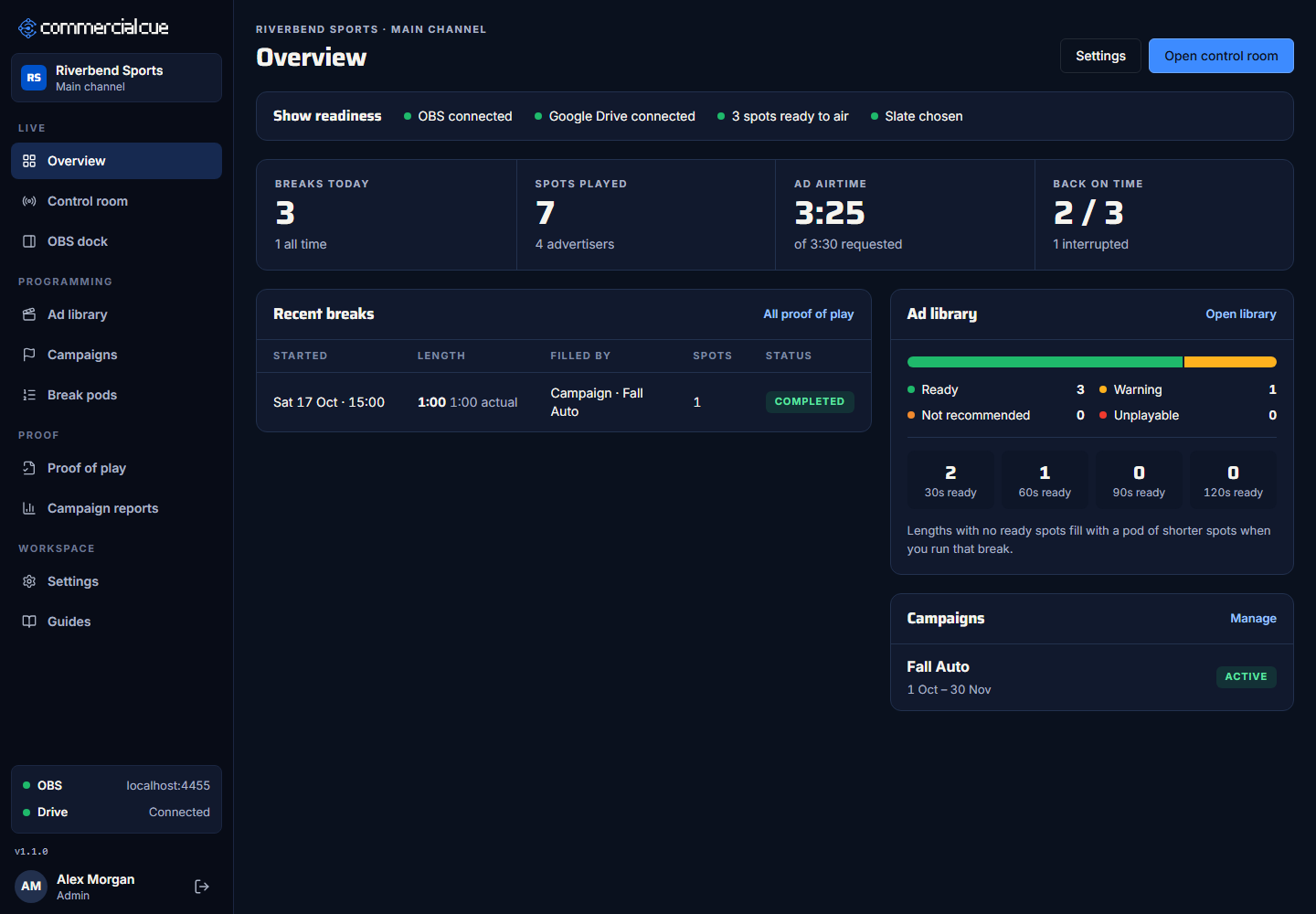
Show readiness
Four checks:
- OBS connected (in this browser)
- Google Drive connected
- N spots ready to air
- Slate chosen
If something's missing, the overview offers Finish setup or Choose a slate.
Today
From midnight on this computer, refreshed every 30 seconds:
- Breaks today
- Spots played, with how many advertisers
- Ad airtime, "of {time} requested"
- Back on time: completed breaks out of finished breaks, with how many were interrupted
Recent breaks
The last 5 breaks, with Started, Length, Filled by, Spots and Status (On air, Completed, Interrupted or Failed). All proof of play opens the full list. See Read proof of play.
Ad library and campaigns
- Ad library: how many spots are Ready, Warning, Not recommended and Unplayable, and how many are ready for each length.
- Campaigns: up to 4 campaigns, with their dates and status. Manage opens Campaigns.
The buttons at the top go to Settings and Open control room.
Related guides
Getting startedA tour of Commercial CueEvery page in the sidebar and what it's for, in one place.Proof for sponsorsRead proof of playEvery break and every spot, with times, who ran it, and how it ended.Run breaksRun your first breakCheck you're ready, press a length, and let Commercial Cue cut to the spots and back.