Short version
Press Return to live now in the control room, or Return to live in the dock. OBS cuts back to LIVE at once and the break is logged as Interrupted.
Use it when the game restarts sooner than expected, a spot looks wrong, or anything else means you need your show back now.
Return to live
- Control room: press Return to live now, the big button in the Emergency panel.
- OBS dock: press Return to live.
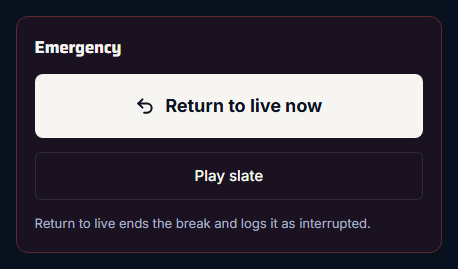
Straight away, Commercial Cue:
- mutes the spot
- cuts OBS back to the LIVE scene
- ends the break and logs it as Interrupted
How it's logged
In proof of play, the break shows Interrupted. When you open it, each spot shows:
- Played for the spots up to and including the one on air when you pressed the button
- Skipped for the spots after it
So a sponsor's spot that was cut short still counts as played, and spots that never aired are marked as skipped. The break's Actual time is how long it really ran.
A break that ends on its own isn't interrupted
Breaks that play every spot to the end are logged as Completed. Interrupted means someone pressed Return to live.
It also ends the slate
If you put the slate on air with Play slate, Return to live is how you take it off again. See Play the slate in an emergency.