Commercial Cue plays your sponsors' commercials (we call them spots) from Google Drive into OBS during a live stream. Every break is logged, so you can show sponsors exactly what aired and when.
Short version
Put your spot videos in Google Drive, connect Drive and OBS in Settings, then press a break length in the control room. Commercial Cue cuts to the spots and back to your show on its own.
How a break works
- You press a break length (30s, 60s, 90s or 120s) in the control room or the OBS dock.
- Commercial Cue picks spots from your library and loads the first one in OBS while your show stays on air.
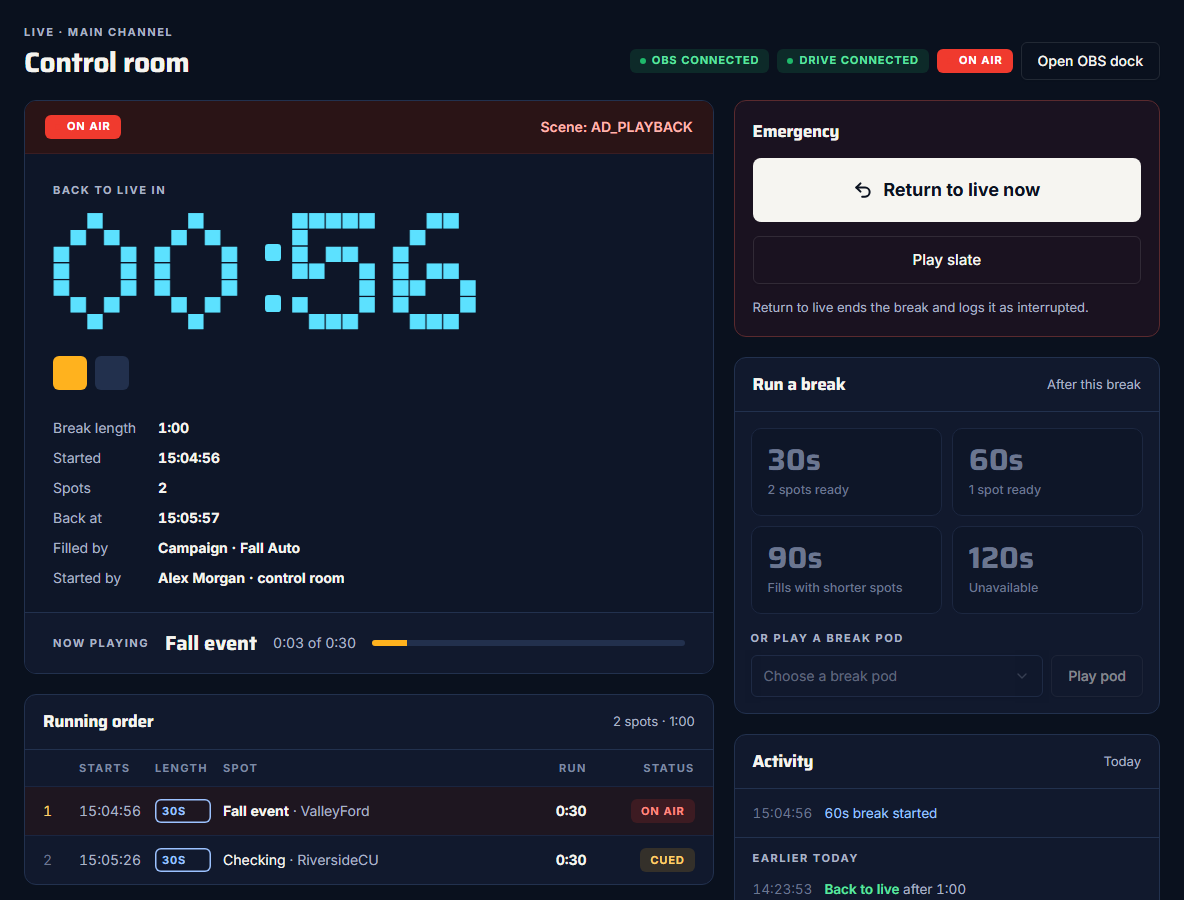
- As soon as OBS is playing the spot, the app cuts to the AD_PLAYBACK scene and the countdown starts.
- Each spot plays to the end, then the next one loads.
- After the last spot, the app cuts back to your LIVE scene and logs the break.
What you need
- OBS Studio 28 or newer. Commercial Cue talks to OBS through its built-in WebSocket server. The app says "Needs OBS 28 or newer with WebSocket 5".
- A Google account. It's how you sign in, and how Commercial Cue reads your spots from Drive.
- Your spot videos in Google Drive, one folder for each break length. MP4 files work best.
- Chrome (or another browser) on the same computer as OBS. The browser is what controls OBS, so it has to run on the computer OBS runs on.
OBS must be on the same computer
Commercial Cue reaches OBS at localhost, which means "this computer". It can't control OBS on a different computer on your network.
Two places to run breaks
- The control room is a page in your browser, at commercialcue.com/control. It shows the countdown, the running order, where the spots came from and today's activity.
- The OBS dock puts the same break buttons inside OBS, as a Custom Browser Dock. It's handy when you'd rather not switch windows during a show.
You can use either, or both at once.
What Commercial Cue doesn't do
- It doesn't stream. OBS does the streaming; Commercial Cue only switches scenes and plays spots in OBS.
- There's nothing to install. Commercial Cue runs in your browser, and inside OBS as a dock.
Next steps
Related guides
Getting startedSign in and set up your workspaceContinue with Google, name your workspace, and understand who the admin is.Set upConnect Google DriveGive Commercial Cue read-only access to the Drive that holds your spots.Set upConnect OBSTurn on OBS's WebSocket server and connect from the same computer.